Echosync — Free Folder Sync Software for Windows
Echosync is free folder synchronization software for Windows and Linux. It updates a destination folder from a source folder by applying only the differences. Keep a copy of your files on an external drive or USB stick without copying the entire folder tree every time.
Download EchosyncChoose the installer or the portable version. For automation, Echocli, the command-line program supplied with Echosync, runs on Windows and Linux.
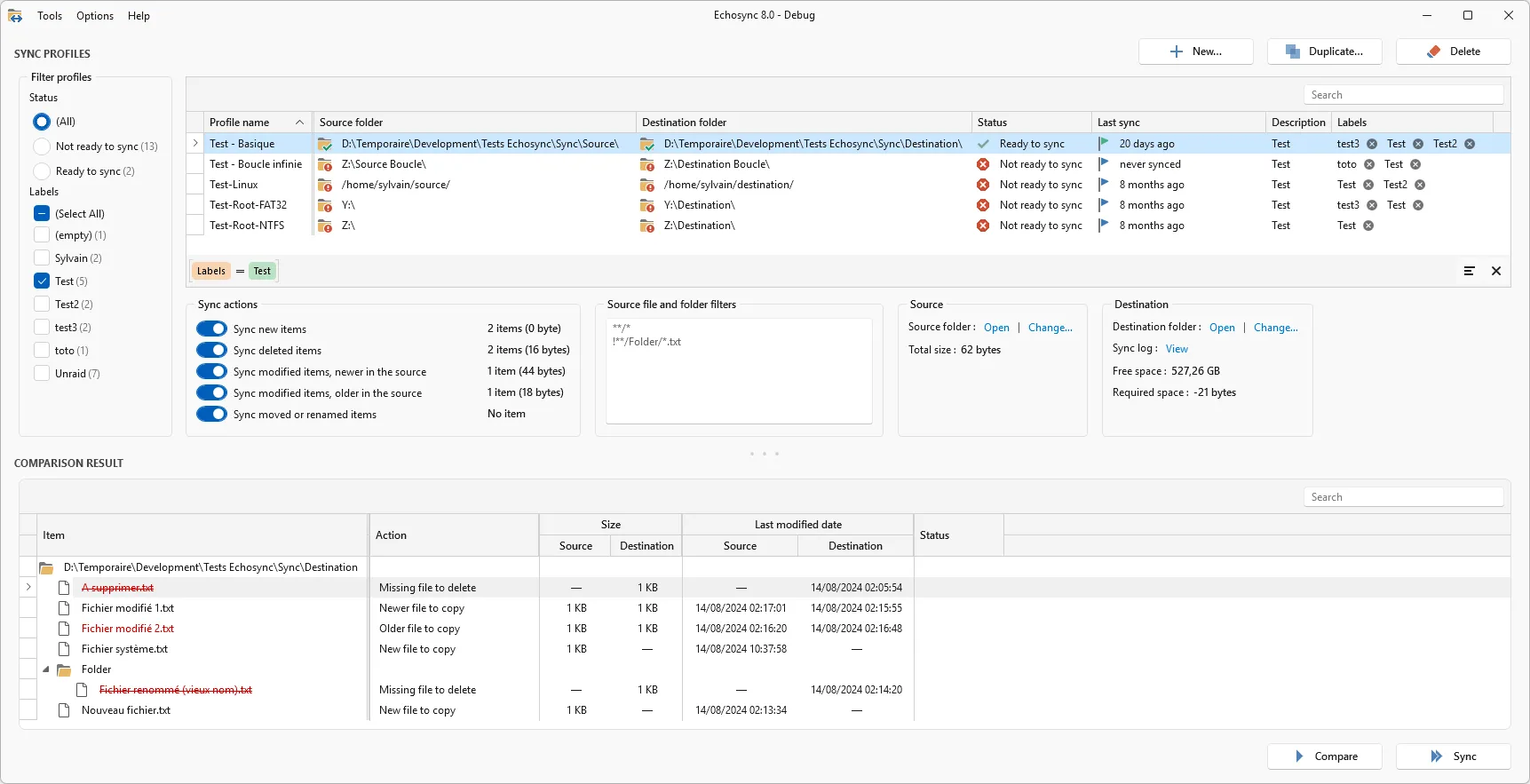
Sync folders without copying unchanged files again
Section titled “Sync folders without copying unchanged files again”Reorganized a photo collection or renamed some files? Echosync detects moved and renamed files to avoid deleting and copying the same files again in the destination. Compare folders to review the differences before starting synchronization.
Simple portable software that leaves your source untouched
Section titled “Simple portable software that leaves your source untouched”- Echosync can run in portable mode, without prior installation. It can be copied to and run from the synchronization media itself (an external hard drive or USB drive, for example).
- Once the synchronization profiles have been created, all operations are performed from a single window, designed to be as user-friendly as possible.
- Synchronization is unidirectional: the Source folder is not modified and can be read-only.
Differential and possibly partial synchronization
Section titled “Differential and possibly partial synchronization”- Echosync performs differential synchronization to save data. This makes it possible to reflect only the changes that have occurred since the last synchronization.
- Echosync has an algorithm for detecting renamed and/or moved files, which avoids having to delete and then copy all these files to the Destination directory.
- It is possible to perform partial synchronizations, for example, by copying only new items without copying modified items.
Copy locked and long path files
Section titled “Copy locked and long path files”- On Windows, Echosync uses Volume Shadow Copy (VSS) to copy files that are locked for reading when it runs with administrator privileges.
- Echosync supports paths longer than 255 characters and symbolic links.
Automate folder synchronization with Echocli
Section titled “Automate folder synchronization with Echocli”- Synchronizations can be launched from the command line, allowing you to automate backups with the Windows Task Scheduler.
Before you start
Section titled “Before you start”Synchronization goes from source to destination. Echosync does not automatically merge changes made on both sides and does not keep multiple versions of a file. If you enable synchronization of deletions, a file deleted from the source will also be deleted from the destination.
The Echosync graphical application requires Windows 10 64-bit or later. On Linux, use Echocli from the command line.
Follow the Getting started: folder sync guide to create your first profile and copy files to an external drive. The user guide covers synchronization actions, filters and automation in detail.